How to Detect AI-Generated Images: A Complete Guide (2026)
How to Detect AI-Generated Images: A Complete Guide (2026)
Every day, 2.5 million new AI-generated images enter circulation online. Many of them are harmless — AI art, marketing graphics, creative projects. But a significant number are designed to deceive: fake product photos, fabricated news imagery, synthesized social profiles, and deepfake evidence.
Knowing how to detect AI-generated images is no longer a niche technical skill. It's a fundamental competency for anyone who consumes media, buys products online, fact-checks information, or communicates in a digital environment.
This is the complete guide — covering automated tools, visual inspection techniques, metadata analysis, and the science behind why AI detection works (and when it doesn't).
Part 1: Understanding Why AI Images Are Detectable
To understand detection, you need to understand creation. AI image generators work by training neural networks — specifically diffusion models and GAN (Generative Adversarial Network) architectures — on billions of real images. When generating a new image, the model predicts pixel values based on statistical patterns learned during training.
This process is extraordinarily good at mimicking photographic reality. But it leaves behind characteristic traces:
1. High-Frequency Artifacts
Real cameras introduce natural noise from photon variance and sensor imperfections. AI generators reproduce the appearance of this noise but at statistically different frequencies. Advanced detectors analyze the power spectral density of an image — essentially its "noise fingerprint" — to identify AI origin.
2. Semantic Inconsistencies
AI models excel at local coherence (this patch of pixels looks like skin) but struggle with global coherence (all body parts belong together consistently). A hand with six fingers is locally fine; globally wrong.
3. Training Distribution Artifacts
Every AI model was trained on a specific dataset. The model's outputs carry subtle statistical "memories" of that training data — patterns too subtle for human eyes but detectable by trained classifiers.
4. Generation Pipeline Signatures
Different AI generators (Midjourney, Stable Diffusion, DALL·E) have distinct pipeline signatures. Like a printer that always leaves a faint pattern, each generator leaves identifiable marks in its output.
This is why AI image detection achieves 90%+ accuracy on unmodified outputs — and why it gets harder when images are modified post-generation.
Part 2: The Three Methods for Detecting AI Images
Method 1: Automated Detection Tools
This is the most reliable and fastest approach.
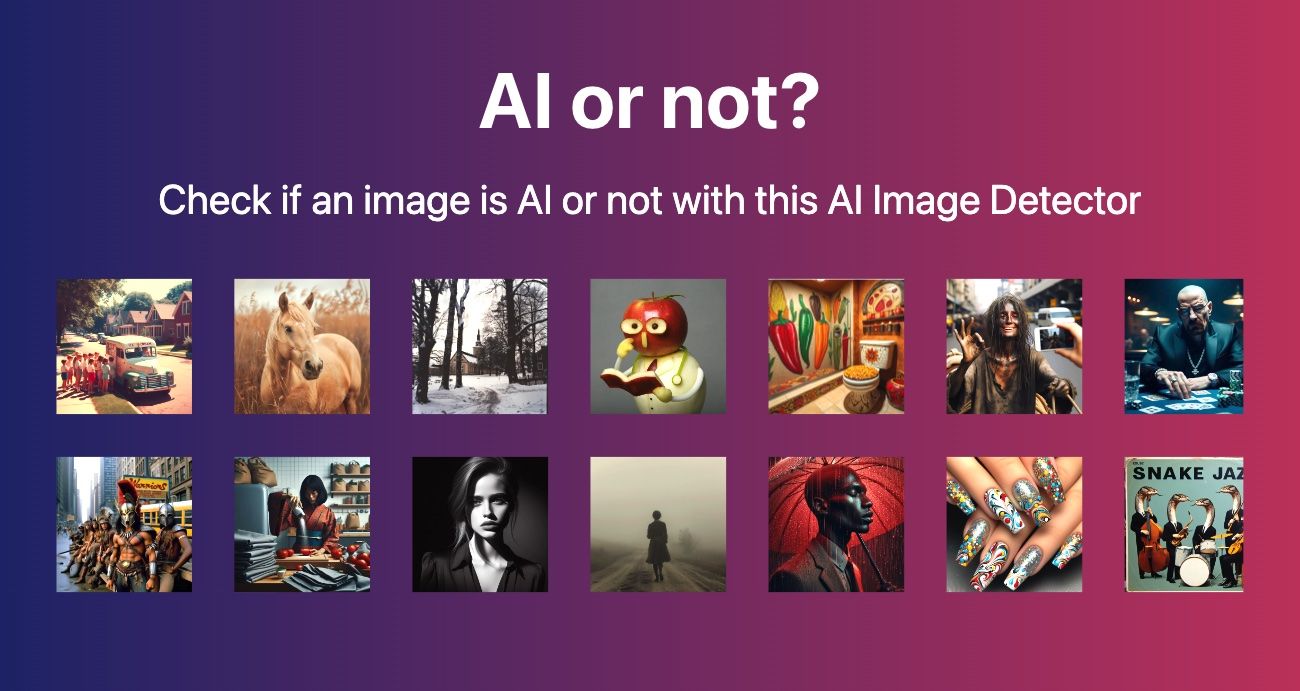
Recommended tool: AIorNot at aiimagechecker.net
How it works (step by step):
- Navigate to aiimagechecker.net/aiornot
- Upload your image (JPEG, PNG, WebP — up to 8MB) or paste an image URL
- Wait 2–5 seconds while the AI analyzes the image
- Read the result: confidence score (0–100%) indicating likelihood of AI origin, plus key detection signals found
What confidence scores mean:
- 0–30% AI: Almost certainly human-taken photograph
- 30–50% AI: Inconclusive — could be heavily edited real photo or AI image with human elements
- 50–70% AI: Probable AI origin, but treat as uncertain
- 70–90% AI: Likely AI-generated; verify with additional methods
- 90–100% AI: Almost certainly AI-generated
Other tools worth using:
- Hive Moderation (developer API — highest accuracy)
- Is It AI? (simple consumer interface)
- Google's About This Image (context, not detection)
Method 2: Visual Inspection Checklist
When a tool isn't available — or as a first-pass filter — these visual checks work reliably on images from current AI generators.
✅ The 10-Point Visual Inspection Checklist
- Check the hands Count fingers. Do they look natural at the knuckles and fingertips? Are they an appropriate size relative to the palm? AI hands frequently show: extra digits, fused fingers, incorrect anatomy, or proportions that shift between close-up and wide shots.
- Examine the eyes Look at: iris texture (should have irregular radial patterns), pupil shape (should be circular or naturally elliptic), eyelashes (should be individual and irregular), and the whites (should show slight natural blood vessel patterns). AI eyes are often too symmetrical and too "clean."
3. Read background text
Any text in the background is a near-instant tell. AI models cannot reliably generate readable text — logos, signs, newspaper headlines, and labels will typically contain misspellings, mixed characters, or completely nonsensical combinations. Real photographs capture text accurately.
4. Examine jewelry and accessories
Earrings, necklaces, and watches are complex objects requiring precise geometry. AI-generated jewelry often shows asymmetry, duplicated elements, or physically impossible clasps and settings.
5. Assess the ears
AI generators frequently distort ear anatomy — ears may be positioned too high or low on the head, have missing canals, or show asymmetric cartilage structures that wouldn't occur in real humans.
6. Look at hair transitions
Where does the hair meet the forehead? Does hair in front of a bright background show individual strand separation? AI hair typically shows a "painted" quality near the scalp and fails to separate individual strands against light backgrounds.
7. Check light source consistency
Pick one direction: where is the light coming from? Now check: do all shadows in the image point in consistent directions? Does the lighting on faces match the lighting on clothes? Inconsistent lighting is a common AI tell.
- Examine edges against complex backgrounds Zoom in on the border between a person and a busy background. Real photographs show natural depth-of-field blur. AI images often show a slight "halo" or color bleeding — artifacts of how the model composites subject and background.
- Look for pattern repetition AI models sometimes "tile" texture patterns — a crowd where multiple people have suspiciously similar faces, a brick wall where sections repeat identically, fabric with identical wrinkle patterns. This is called "mode collapse" and is a training artifact.
10. Assess overall coherence Step back. Does every element in the scene make physical sense together? Is the scene geometrically possible? AI images excel at aesthetically pleasing compositions but can fail at physical plausibility — floor reflections that don't match the objects above, impossible architectural geometry, inconsistent scale between objects.
Method 3: Metadata Analysis
Every camera-taken photograph embeds EXIF data — technical information about how the photo was taken.
EXIF data typically includes:
Camera make and model (e.g., "Apple iPhone 15 Pro")
Lens focal length and aperture
Shutter speed and ISO
GPS coordinates (if location sharing was enabled)
Timestamp of capture
Software used (e.g., Lightroom for edited photos)
AI-generated images typically have:
No EXIF data at all (most common)
Generic metadata with no camera model
Software field showing AI generator name (if not stripped)
Timestamps that don't match claimed event dates
How to check EXIF data:
On desktop:
Mac: Right-click → Get Info → More Info
Windows: Right-click → Properties → Details tab
Online: Jeffrey's Exif Viewer (exifdata.com) — paste an image URL
On mobile:
iOS: "Files" app → select image → "Get Info"
Android: Gallery app → image info → Details
Important caveat: EXIF data can be stripped (legitimate reasons include privacy) or fabricated (malicious). Missing EXIF is suspicious but not proof. Present EXIF is not automatically proof of authenticity. Use it as one signal among many.
Part 3: AI Detection by Platform and Context
Social Media Images
Social media platforms compress images, which can degrade AI detection accuracy. Best practice:
Request or download the original resolution image before checking
Use the URL-based analysis if the image is posted publicly
Cross-reference the image's first appearance with the account's age
Product Listing Images
For e-commerce verification:
Use Image Content Analyzer to extract what's actually depicted
Check if the product's specific details (serial numbers, model numbers) are readable or garbled
Look for product-specific physical properties (cable ports, button placement, screen bezels) that AI often gets wrong
News and Journalistic Images
For fact-checking:
Run through AIorNot first
Use Google's About This Image to check first appearance
Run through TinEye reverse image search to check for prior use
Verify against wire photo services (AP, Reuters, Getty) if context is breaking news
Profile and Identity Photos
For person verification:
Use the visual checklist with special attention to skin texture, teeth, and ears
Check for identical patterns across multiple profile photos (AI face models have "favorite" facial structures)
Use FaceCheck.ID (dedicated reverse image search for faces)
Part 4: What Detection Can't Do
Being honest about limitations matters for making good decisions.
Detection cannot tell you:
Who created the AI image
Why it was created
Whether it was created in bad faith
Detection accuracy drops when:
The image has been cropped to remove artifacts
Heavy Instagram/VSCO filters have been applied
The image was printed and re-photographed
The image was generated by a very new AI model not in the training data
The image was deliberately adversarially optimized to fool detectors
The right mindset: AI image detection is probabilistic evidence. A 94% confidence score means "very likely AI" — not "proven AI." For consequential decisions (legal proceedings, published journalism, fraud claims), treat detector output as one piece of evidence requiring corroboration.
Part 5: The Future of AI Image Detection
The AI detection landscape is in an arms race. As generators improve, detection models must be retrained. Key developments to watch in 2026:
C2PA (Content Credentials): An emerging industry standard where AI generators embed cryptographic provenance data directly into images. Adobe, Microsoft, and major camera manufacturers are adopting this. When C2PA becomes widespread, verified images will carry a tamper-proof certificate of origin.
Watermarking at generation: Google's SynthID and Meta's AI watermarking embed invisible signals into AI-generated images at creation time. These are detectable even after moderate editing, but not yet universal.
Platform-level labeling: Meta, YouTube, and TikTok now require disclosure of AI-generated content in some categories. Enforcement remains inconsistent.
Complete Workflow: Checking a Suspicious Image
Here's the end-to-end process I recommend:
Step 1: Quick visual scan (30 seconds)
→ Check hands, eyes, text, jewelry
→ If obvious AI tells → confirmed
Step 2: Upload to AIorNot (1 minute)
→ aiimagechecker.net/aiornot
→ Read confidence score
→ If >80% AI → strong evidence
Step 3: Metadata check (2 minutes)
→ Check EXIF data for camera/location/timestamp
→ If no EXIF + high AI score → very likely AI
Step 4: Reverse image search (3 minutes)
→ Google Images reverse search
→ Google's About This Image
→ Check first appearance date
Step 5: Context check (5 minutes)
→ Does the image match the claimed event/date/location?
→ Who posted it? What's their history?
→ Does it appear in credible news sources independently?
Total time: Under 10 minutes for thorough verification.
Frequently Asked Questions
Q: What is the fastest way to detect an AI image?
Upload it to AIorNot at aiimagechecker.net/aiornot. Results in 2–5 seconds, no account needed.
Q: Can I detect AI images on my phone?
Yes. Mobile browsers work fine with aiimagechecker.net — upload from your camera roll directly. The site is mobile-optimized.
Q: Is the hand-checking method reliable in 2026?
Less reliable than in 2023–2024. Midjourney v7 and DALL·E 4 have significantly improved hand anatomy. It's still worth checking, but don't rely on it alone — use an automated tool.
Q: What percentage of images online are AI generated?
According to Adobe's estimates, approximately 1.2 billion AI-generated images now exist online, with 2.5 million new ones created daily. The percentage of "online images" that are AI-generated is estimated at 5–10% and rising.
Q: Can an AI-generated image pass as real in a court of law?
Jurisdiction varies. In the EU, the AI Act (effective 2025) requires labeling of AI-generated content used in certain contexts. In the US, no federal law mandates this, though courts are increasingly requiring disclosure. Evidence authenticity is evaluated case-by-case.
Q: Do AI detectors work on AI-generated videos?
Most image-based detectors (including AIorNot) analyze individual frames only. Dedicated video deepfake tools are needed for systematic video analysis.
Tools Summary
The ability to detect AI-generated images is quickly becoming as fundamental as the ability to spot a broken link or a suspicious email. The tools exist, the methods are learnable, and the 10-minute workflow above can be completed by anyone.
Start with the free tools. Practice the visual checklist on images you know are AI-generated (generate a few with any free tool) to calibrate your eye. Then apply both when it matters.
Last updated: July 2026 | Sources: Adobe Digital Trust Report 2025, MIT Media Lab, Google C2PA initiative | Author: aiimagechecker.net Editorial Team
Explore more in our news coverage for related guides and updates.