How to Tell If an Image Was Generated by AI: 7 Practical Checks
How to Tell If an Image Was Generated by AI: 7 Practical Checks
AI-generated images are getting better every month. That is exactly why image verification matters more now than ever. A picture can look polished, realistic, and emotionally convincing while still being synthetic. In a world where images move fast across social feeds, news posts, product pages, and messaging apps, knowing how to verify what you see is becoming a basic digital skill. Google also expects content to be created for people first, with original value and clear purpose, not just for search rankings.
The good news is that you do not need to be a forensic analyst to do a first-pass check. A careful eye, a few simple tests, and a reliable detection tool can reveal a lot.
1. Look for unnatural details
AI images often fail in small places before they fail in big ones. Hands may have extra fingers, jewelry may blend into skin, text may look scrambled, or glasses and earrings may not line up correctly. In portraits, the face may look almost right, but the ears, teeth, or hairline may feel subtly off.
Do not rely on one artifact alone. The strongest clue is usually a cluster of small problems that feel inconsistent together.
2. Check lighting and shadows
Lighting is one of the easiest places to catch an AI image. Ask yourself:
- Do all shadows point in the same direction?
- Does the background light match the subject light?
- Are highlights consistent across reflective surfaces?
- Does the scene feel physically believable?
AI models can produce beautiful compositions, but lighting logic is still a common weak point, especially in complex scenes with multiple objects.
3. Zoom in on text, logos, and labels
AI often struggles with readable text. Signs, packaging, clothing labels, screenshots, and book covers can contain broken letters, mixed fonts, or random symbols. Logos may also look slightly wrong even if they feel familiar at first glance.
If an image includes a brand mark or a visible headline, zoom in. Real text has structure. AI-generated text often has the shape of language without the rules of language.
4. Review the background carefully
The main subject may look convincing while the background quietly breaks apart. Watch for:
- repeated windows or bricks
- impossible street layouts
- warped fences or railings
- mismatched vehicles
- strange crowd spacing
- trees or plants that do not behave naturally
This matters especially in travel, news, and event photos. A background that looks “busy” can hide a lot of synthetic noise.
5. Inspect metadata when available
Metadata can help, but it is not a silver bullet. Some images keep camera details, while others lose them during export, resizing, compression, or social sharing. When metadata is present, it may provide clues such as device type, capture time, or editing history. When it is missing, that does not prove an image is fake.
Use metadata as one signal, not the final answer.
6. Compare the image to the story around it
A lot of misleading images fail because the story does not match the picture.
Ask:
- Does this photo match the caption?
- Does the image fit the claimed location or event?
- Is the lighting consistent with the supposed time of day?
- Would this scene be plausible in the described context?
This is one of the fastest ways to catch false context, even when the image itself is technically well made.
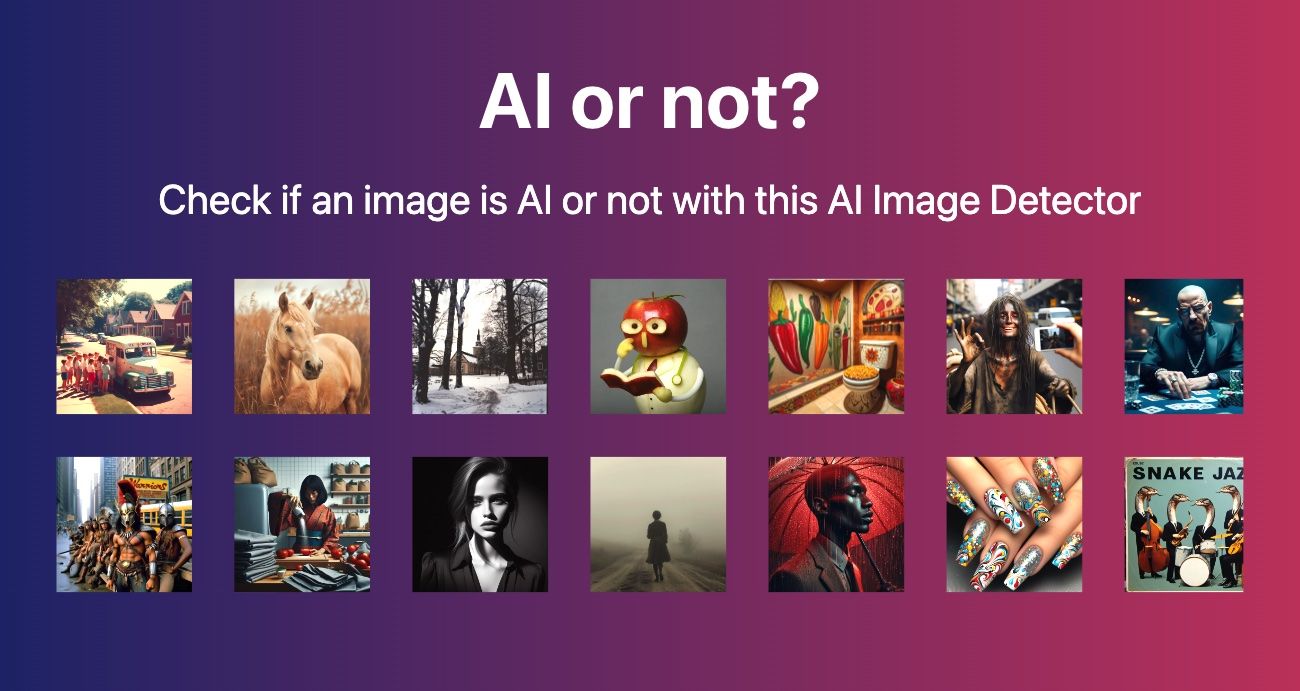
7. Use an AI image detection tool for a second opinion
When your eyes are not enough, run the image through a detection tool. A good workflow is:
- Upload the image
- Review the analysis score
- Check the highlighted signals
4. Compare the result with your own visual judgment
5. Make a final decision based on multiple clues
That approach works better than trusting either humans or software alone. It also keeps the process practical for everyday use.
Why AI image detection is never perfect
No detector can promise certainty on every image. Some AI images are heavily edited by humans. Some real photos are compressed, cropped, filtered, or reposted so many times that they start to look synthetic. That is why the best practice is not “detect once and decide forever,” but “combine checks and reduce risk.”
A useful detection system should help you make better decisions, not pretend to know everything.
When image verification matters most
Image verification is especially important in these situations:
- news and journalism
- social media claims
- marketplace listings
- product reviews
- public safety or legal evidence
- brand reputation checks
- academic or research references
In each case, the cost of believing the wrong image can be much higher than the cost of checking it.
A simple workflow you can use today
If you only remember one process, use this:
Step 1: Look at the image at full size.
Step 2: Zoom in on hands, text, shadows, and edges.
Step 3: Read the caption and compare it to the scene.
Step 4: Check whether the metadata or context makes sense.
Step 5: Use the AI Image Detector as a final verification layer.
That five-step process is fast enough for daily use and strong enough for most public-facing content reviews.
FAQ
Can AI-generated images always be detected?
No. Some images are easy to spot, while others are extremely difficult to classify without context or additional evidence.
Is missing metadata proof that an image is fake?
No. Metadata can be removed during export, compression, messaging, or platform uploads.
What is the most common sign of an AI image?
Small inconsistencies in hands, text, reflections, backgrounds, or object alignment are often the first clues.
Should I trust a detector 100%?
No. A detector should support your judgment, not replace it.
Final thoughts
The best way to spot AI-generated images is to think like an editor, not a guesser. Look closely, compare the story, and verify with a tool when the stakes are high. That gives you a stronger result than depending on instinct alone.
If you want a practical next step, use the AI Image Detector on your next suspicious image and compare the result with the checklist above.
Explore more in our news coverage for related guides and updates.
Get in touch
Contact us for a personalized quote.