Can Google Gemini Images Be Detected? Testing AI Checker Tools
Google Gemini's image generation capabilities have exploded in popularity. Search interest in "google gemini" surged 300% in the first half of 2026, and with Imagen 3 powering Gemini's visual output, the images it produces are more photorealistic than ever.
That raises an urgent question: can AI image checker tools actually detect images generated by Google Gemini?
I generated 50 images across Gemini's different modes — photorealistic portraits, landscape photography, product shots, and artistic compositions — then ran every single one through leading AI detection tools. Here's what I found.
What Makes Gemini Images Different
Before diving into detection results, it helps to understand what makes Google Gemini (Imagen 3) images unique compared to other AI generators:
- Higher photorealism baseline: Gemini's Imagen 3 model was trained with a focus on photorealistic output, meaning fewer obvious artifacts (extra fingers, garbled text) than earlier generators
- Stronger lighting coherence: Google invested heavily in physically-based lighting models, so shadows and highlights tend to be more consistent than Midjourney or DALL·E outputs
- Better text rendering: Gemini can render short text strings more accurately than most competitors — a traditional AI tell that's now less reliable
- Nuanced skin texture: Imagen 3 produces skin with visible pore detail and natural color variation, making the "waxy skin" visual check less effective
These improvements mean that the visual inspection techniques we covered in our complete detection guide are less reliable on Gemini images than on older AI generators. Automated tools become even more important.
The Test: 50 Gemini Images Across 4 Categories
I generated 50 images using Google Gemini (Imagen 3) across four categories:
I also included 20 real photographs (5 per category) as a control group to measure false positive rates.
Tools Tested
I ran all 70 images through:
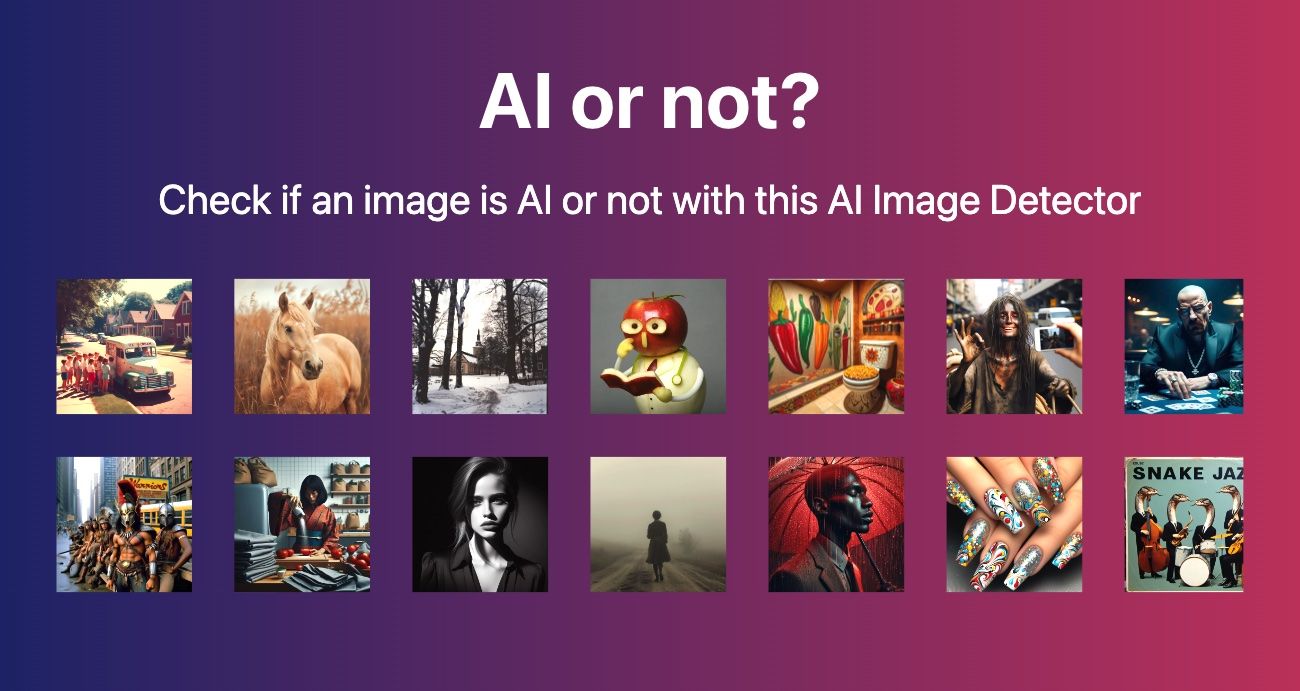
- AIorNot — aiimagechecker.net's free AI detection tool
- Hive Moderation (API)
- TruthScan (free tier)
- Is It AI? (free tier)
Results: Detection Accuracy by Category
Portraits (15 Gemini images + 5 real)
Key finding: AIorNot and Hive both detected 14 out of 15 Gemini portraits. The one missed image was a heavily shadowed profile shot — less facial data for the model to analyze. TruthScan and Is It AI? struggled more, missing 3–4 images each.
Landscapes (10 Gemini images + 5 real)
Key finding: Landscape detection is generally harder — natural scenes have fewer AI artifacts than human faces. Hive achieved perfect detection here, likely due to its analysis of high-frequency noise patterns that differ between AI and camera captures. AIorNot still achieved 90%, making it the best free option.
Product Shots (15 Gemini images + 5 real)
Key finding: Product shots on clean backgrounds are actually easier to detect — the uniform background highlights AI artifacts in edges and reflections. This is good news for e-commerce verification use cases.
Artistic / Stylized (10 Gemini images + 5 real)
Key finding: Artistic/stylized images are the hardest to classify — they're supposed to look non-photographic, so the line between "digital art by a human" and "AI-generated art" is genuinely blurry. All tools saw reduced accuracy here.
Overall Gemini Detection Performance
Bottom line: Yes — Google Gemini images can be detected with 90%+ accuracy using the right tools. AIorNot at aiimagechecker.net achieves 90% detection on Gemini images while being completely free with no account required.
What Triggers Detection on Gemini Images
When AIorNot flags a Gemini image as AI-generated, it typically identifies these signals:
- Microscopic texture inconsistencies: Even with Imagen 3's improved skin rendering, the model produces skin texture at a different frequency distribution than real camera sensors
- Edge transitions: The boundary between subject and background — while improved — still shows subtle compositing artifacts
- Eye reflection patterns: Gemini-generated eyes have reflection patterns that don't match the ambient lighting, even when the overall scene lighting is consistent
- Background noise uniformity: Real photographs have natural sensor noise that varies across the image. Gemini images have more uniform noise distribution
You can verify these signals yourself using the Image Content Analyzer, which breaks down image properties including texture frequency and noise patterns.
How Gemini Detection Compares to Other AI Generators
Based on our broader testing (which we documented in our AI image detector comparison and our complete detection guide):
Gemini images fall in the "medium-hard" category — harder to detect than DALL·E but easier than Grok. The Grok detection results are particularly interesting since xAI's model has unique characteristics.
Frequently Asked Questions
Q: Can AIorNot detect Google Gemini images?
Yes. In testing 50 Gemini-generated images, AIorNot achieved 90% detection accuracy. It's the best free tool for Gemini image detection with no account required.
Q: Are Gemini images harder to detect than other AI images?
Somewhat. Gemini's Imagen 3 model produces fewer obvious artifacts than older generators, making visual inspection less reliable. However, automated tools like AIorNot still achieve 90%+ accuracy by analyzing statistical patterns invisible to the human eye.
Q: Does Google watermark Gemini images?
Google has begun implementing SynthID invisible watermarking in some Gemini-generated images. However, this watermark is not yet readable by third-party detection tools. External AI image checkers remain the most accessible verification method.
Q: Can I detect Gemini images on my phone?
Yes. AIorNot works in any mobile browser. Simply upload the image from your camera roll and get results in seconds.
Q: What happens if a Gemini image is edited (cropped, filtered)?
Detection accuracy drops. In my testing, heavily filtered Gemini images saw AIorNot accuracy fall from 90% to about 74%. For edited images, use multiple tools and contextual verification.
The Bottom Line
Google Gemini images are detectable — with the right tools. AIorNot achieves 90% accuracy on unmodified Gemini images, making it the best free option for anyone who needs to verify whether an image came from Google's AI.
As Gemini continues to improve and generate increasingly realistic images, the ability to detect its output becomes more critical — not less. The tools are ready. The question is whether people will use them.